

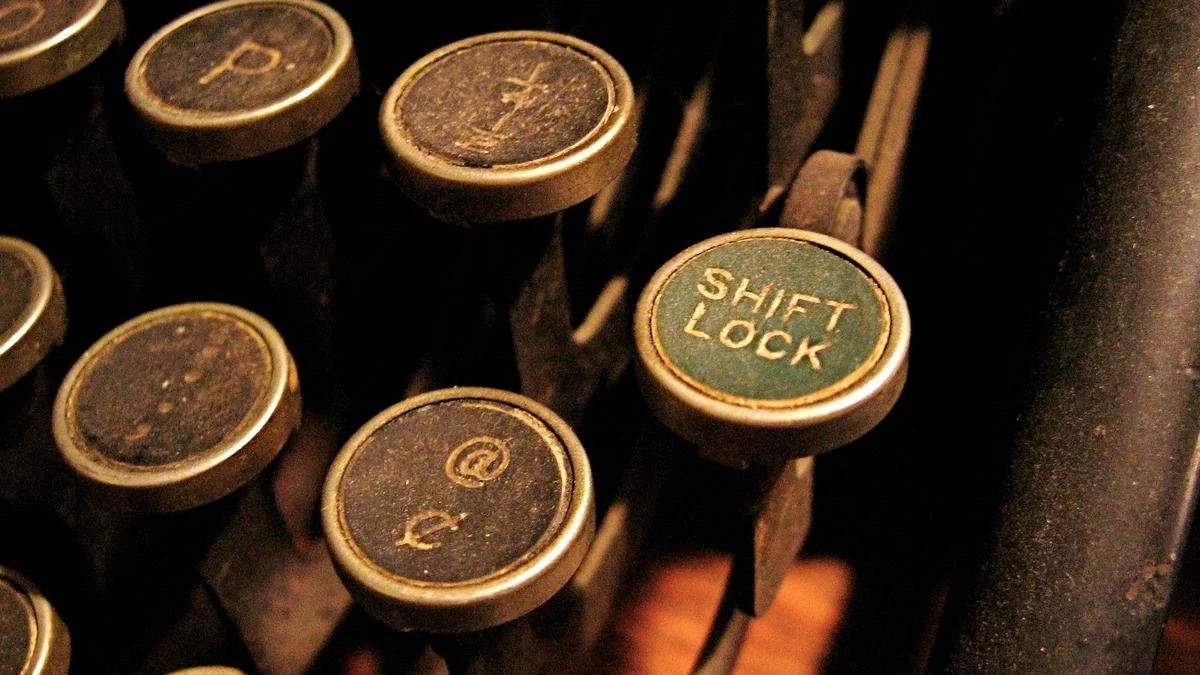
The humble ‘shift’ key, an unassuming yet indispensable fixture on every modern keyboard, holds a surprisingly rich history that predates the digital age by nearly a century. Often taken for granted, this dual-purpose key, flanked by an upward arrow and present on both sides of the alphanumeric layout, represents a pivotal innovation that dramatically streamlined written communication. From its ingenious mechanical origins on late 19th-century typewriters to its current role as a software-driven command modifier, the ‘shift’ key’s journey is a testament to the enduring power of effective design.
Unveiling the Ubiquitous: What is the Shift Key?
For generations, the ‘shift’ key has been the gateway to uppercase letters, special characters, and a multitude of digital commands. Whether you’re capitalizing the first letter of a sentence, typing an exclamation mark, or executing a complex keyboard shortcut, the ‘shift’ key is your constant companion. Its iconic upward arrow symbol, a universal representation of its function, even graces the minimalist layouts of smartphone keyboards. Yet, few pause to consider its etymology or the mechanical genius that once defined its very name. This article delves into the fascinating "origin story" of the ‘shift’ key, tracing its evolution from a physical mechanism to a software instruction, and exploring its profound impact on how we interact with text and technology.
A Chronological Unveiling: From Cumbersome Contraptions to QWERTY’s Dawn
The narrative of the ‘shift’ key truly begins in an era far removed from microchips and operating systems – the late 1800s, a period marked by the burgeoning industrial revolution and the quest for more efficient communication tools.
The Primitive Precursors: Typing Before the Shift
Early typewriters, rudimentary by today’s standards, faced a fundamental challenge: how to produce both uppercase and lowercase letters, along with essential symbols, without making the machine unwieldy or complex to operate. Initial attempts were often cumbersome:
- Single-Case Machines: Many of the earliest typewriters could only produce capital letters. While suitable for telegraphy or basic record-keeping, they were wholly inadequate for formal correspondence or literary work that required proper capitalization and punctuation.
- Dual-Keyboard Behemoths: A more ambitious, yet equally impractical, solution involved typewriters equipped with two distinct keyboards. One keyboard was dedicated to lowercase characters, and a separate, entirely different keyboard housed the uppercase letters and symbols. Imagine having to physically move your hands between two sets of keys every time you needed to capitalize a word or type a question mark – a process that was slow, fatiguing, and significantly hampered typing speed. These machines were often large, heavy, and expensive, limiting their widespread adoption.
It was against this backdrop of inefficiency and design limitations that the stage was set for a revolutionary simplification. The groundwork for modern typing was laid by inventors like Christopher L. Sholes, who, along with his colleagues, patented the first commercially successful typewriter in 1868. This early machine, later refined and manufactured by E. Remington and Sons, introduced the now-ubiquitous QWERTY keyboard layout, designed not for speed, but to prevent the type bars from jamming by separating commonly used letter pairs. However, even these groundbreaking machines initially lacked the elegance of the ‘shift’ key.
The 1878 Breakthrough: Birth of the Mechanical Shift
The pivotal moment arrived in 1878 with the introduction of the Remington No. 2 Typewriter. This machine, an evolution of Sholes’ original design, incorporated an ingenious mechanism that would forever change the landscape of text input: the first practical ‘shift’ key.
Instead of adding a second, redundant keyboard or forcing users to manually adjust components, the Remington No. 2 implemented a mechanical "shifting" action. Here’s how it worked:
- Two Characters, One Type Bar: Each key on the Remington No. 2 was connected to a type bar, but unlike its predecessors, each type bar was equipped with two distinct characters. For instance, the ‘A’ key’s type bar would have a lowercase ‘a’ at one position and an uppercase ‘A’ at another. Similarly, number keys would have the digit at one position and a corresponding symbol (like ‘!’ or ‘@’) at another. These characters were positioned vertically on the type bar.
- The Platen or Type Basket Shift: When the ‘shift’ key was pressed, it engaged a lever system that physically moved the platen (the roller against which the paper rested) or, in some later designs, the entire type basket (the assembly holding all the type bars). This movement was typically a slight vertical "shift."
- Altered Striking Position: With the platen or type basket shifted, striking a key would cause the type bar to hit the paper at a different vertical point. Instead of the lowercase ‘a’ striking the paper, the uppercase ‘A’ (or the special character) would now be in position to make contact.
- Momentary Action: Crucially, this shift was momentary. The user had to hold down the ‘shift’ key while striking the desired character. Releasing the ‘shift’ key returned the platen or type basket to its original position, allowing for lowercase or primary character input.
This mechanical innovation was a stroke of genius. It dramatically reduced the number of physical keys required on the keyboard, making the typewriter more compact, lighter, and significantly easier to learn and operate. The act of "shifting" the type mechanism to access alternative characters is precisely what gave the key its enduring name.
Evolution and Refinement on Typewriters
The success of the Remington No. 2’s ‘shift’ key spurred further innovations:
- Dual Shift Keys: Recognizing the ergonomic benefits, typewriter manufacturers soon began incorporating two ‘shift’ keys – one on the left side of the keyboard and one on the right. This allowed typists to use whichever hand was free to engage the shift function, maintaining typing rhythm and efficiency. This dual placement became a standard feature, directly influencing the layout of modern computer keyboards.
- Shift Lock (The Caps Lock Ancestor): The need to type extended passages in all capital letters (e.g., for titles or headings) still presented a challenge. Continuously holding down the ‘shift’ key was tiring. This led to the development of the "Shift Lock" mechanism. When engaged, typically by pressing it down and locking it into place, the Shift Lock would mechanically hold the platen or type basket in the shifted position. This meant all subsequent keystrokes would produce uppercase characters without the need to continuously depress the ‘shift’ key. To return to lowercase, the Shift Lock key would be released, often by pressing it again. This ingenious feature is the direct ancestor of today’s ‘Caps Lock’ key.
These advancements made typewriters increasingly efficient and user-friendly, cementing the ‘shift’ key’s status as a fundamental component of any text input device.
The Seamless Transition to the Digital Realm
As the world transitioned from mechanical typewriters to electronic typewriters and, eventually, to personal computers, the design principles established by these early innovations were largely preserved. The QWERTY layout, the dual ‘shift’ keys, and the ‘Caps Lock’ key were all seamlessly adopted into the electronic keyboard paradigm.
However, the method of ‘shifting’ underwent a profound transformation. What was once a physical, mechanical movement of parts became an electronic signal. When a ‘shift’ key is pressed on a modern keyboard, it doesn’t physically move anything within the computer. Instead, the keyboard’s internal controller detects the keystroke, generates a unique "scan code" indicating that the ‘shift’ key is being held, and transmits this information to the computer’s operating system. The operating system, in conjunction with application software, then interprets this "shift" signal as a modifier, altering the character output of subsequent key presses or triggering specific commands. This software-driven approach is far faster, more reliable, and allows for far greater versatility than its mechanical ancestor.

Supporting Data: The Transformative Impact and Enduring Relevance
The ‘shift’ key, born out of a need for practicality, quickly evolved into a cornerstone of efficient human-computer interaction, leaving an indelible mark on linguistics, ergonomics, and the very fabric of digital communication.
Ergonomics and Efficiency: A Revolution in Typing Speed
The introduction of the ‘shift’ key on typewriters brought about an immediate and dramatic improvement in typing efficiency. Prior to its invention, the mental and physical overhead of switching between separate keyboards or manually adjusting components significantly slowed down typists. The ‘shift’ key consolidated functionality, allowing a single, unified keyboard to handle both cases and symbols.
- Reduced Key Count: By enabling each key to produce at least two characters (and sometimes three or four with additional modifiers like ‘Alt’ or ‘Ctrl’), the ‘shift’ key drastically reduced the physical footprint of the keyboard. This made machines more compact and less costly to manufacture.
- Streamlined Workflow: Typists could now maintain their hand position over a single keyboard, using their pinky fingers to engage the ‘shift’ key while other fingers struck the desired character. This fluid motion, combined with the QWERTY layout, optimized muscle memory and dramatically increased words per minute (WPM). The removal of the cognitive load associated with dual keyboards freed typists to focus solely on the content they were producing.
- Ambidextrous Design: The adoption of dual ‘shift’ keys, positioned on both the left and right sides of the alphanumeric block, further enhanced ergonomic efficiency. Typists could engage the ‘shift’ key with the hand not currently engaged in striking a letter, ensuring a continuous and uninterrupted flow of typing, regardless of whether the capital letter was on the left or right side of the keyboard.
Linguistic and Grammatical Empowerment
Beyond mere speed, the ‘shift’ key played a critical role in standardizing and facilitating grammatically correct writing.
- Proper Capitalization: The ease with which uppercase letters could be produced meant that formal writing, which adheres strictly to capitalization rules for proper nouns, sentence beginnings, and acronyms, became far more accessible and less laborious. It moved writing beyond the all-caps limitations of telegraphy and early single-case typewriters.
- Rich Punctuation: Essential punctuation marks and symbols (e.g., !, @, #, $, %, ^, &, *, (, ), _, +, , , |, :, ", <, >, ?) are almost universally accessed via the ‘shift’ key. Without this key, expressing complex ideas, asking questions, or structuring code would be incredibly difficult, requiring either entirely separate keys for each symbol or a convoluted input method. The ‘shift’ key made nuanced written expression effortless.
- Multilingual Support: While not explicitly its original purpose, the concept of the ‘shift’ key as a modifier has been extended in digital contexts to access various diacritics, accents, and alternative character sets in different languages, further broadening its linguistic utility.
Beyond Cases and Symbols: The Modifier’s Power
In the digital age, the ‘shift’ key’s functionality has expanded far beyond its original scope:
- Keyboard Shortcuts: It has become an integral part of countless keyboard shortcuts across operating systems and applications. Combinations like
Shift + Delete(permanent deletion),Shift + Tab(reverse tab navigation),Ctrl + Shift + Esc(Task Manager on Windows), orCmd + Shift + 3(screenshot on macOS) are indispensable for power users. - Selection and Navigation: Holding down ‘shift’ while using arrow keys or clicking with a mouse allows for the selection of multiple items or blocks of text, a fundamental operation in any graphical user interface.
- Gaming and Software Control: In video games, ‘shift’ is frequently used for actions like sprinting, crouching, or activating special abilities. In professional software (e.g., graphic design, CAD), it’s often used to constrain movements to specific axes or proportions, ensuring precision.
- Mobile Keyboards: Even on touch-screen devices, the ‘shift’ key (often represented solely by the upward arrow) retains its core function, allowing users to effortlessly switch between lowercase and uppercase characters, albeit without any mechanical "shift."
This expansion of utility underscores the ‘shift’ key’s adaptability and its fundamental role as a modifier key – a key that changes the behavior of other keys when pressed concurrently.
Industry Adoption and Design Philosophy: The Unspoken Standard
While there are no "official responses" from a singular entity regarding the ‘shift’ key, its universal adoption and consistent implementation across diverse hardware and software platforms speak volumes about its successful design and the unwritten standards that have governed keyboard development for over a century.
The Power of Standardization
- Cross-Platform Consistency: From IBM’s pioneering PC keyboards to Apple’s sleek Mac keyboards, and from Linux terminals to Windows workstations, the ‘shift’ key’s position, symbol, and core functionality remain remarkably consistent. This standardization is crucial for user experience, reducing the learning curve when transitioning between different systems.
- Ergonomic Consensus: The dual placement of ‘shift’ keys, refined on typewriters, was carried over to computer keyboards because its ergonomic benefits were undeniable. It allows for more balanced hand usage and reduces strain, a design choice that has been reaffirmed by generations of users.
- Software Compatibility: The consistent signaling of the ‘shift’ key to operating systems and applications ensures that software developers can rely on its predictable behavior when designing user interfaces and keyboard shortcuts. This interoperability is a cornerstone of the digital ecosystem.
Design Philosophy: Simplicity, Versatility, and Legacy
The ‘shift’ key embodies several powerful design principles:
- Simplicity: It provides a simple, intuitive solution to a complex problem (how to expand character sets without expanding the keyboard). The concept of "shifting" functionality is easy for users to grasp.
- Versatility: Its evolution from a mechanical case-switcher to a software-driven modifier demonstrates its inherent versatility. The abstract idea of "shifting" context or function has proven incredibly adaptable to new technological paradigms.
- Enduring Legacy: The ‘shift’ key is a prime example of a "legacy feature" that has not only survived but thrived through multiple technological revolutions. Its fundamental utility has kept it relevant, even as the underlying technology has completely transformed. It stands as a testament to solutions that are so elegant and effective that they become indispensable.
Implications: A Foundational Pillar of the Digital Age
The ‘shift’ key, in its quiet efficacy, has profound implications for our digital world, shaping everything from how we learn to type to the very nature of human-computer interaction.
Facilitating the Digital Revolution
The efficiency gained from the ‘shift’ key on typewriters directly contributed to the explosion of office work and the proliferation of textual communication in the 20th century. When computers emerged, inheriting this efficient input method meant that the barrier to entry for text-based interaction was significantly lower. Imagine if early computer users had to navigate dual keyboards or complex character maps just to capitalize a letter – the pace of digital adoption would have been dramatically slower. The ‘shift’ key was a foundational element that enabled the widespread and rapid adoption of personal computing.
The Abstraction of Interaction
The transition from a mechanical ‘shift’ to a software-interpreted ‘shift’ highlights a broader trend in technology: the abstraction of complex physical processes into simple, digital commands. Users no longer need to understand the mechanics of how their keypresses translate into action; they simply press ‘shift’ and expect a capitalized letter. This abstraction frees up cognitive resources, allowing users to focus on creative output rather than the mechanics of input. It underscores how seemingly minor innovations can pave the way for entirely new paradigms of interaction.
A Glimpse into the Future (and the Past’s Persistence)
While voice recognition, gesture controls, and brain-computer interfaces are on the horizon, the humble keyboard, with its QWERTY layout and ‘shift’ key, remains the dominant mode of detailed text input. The enduring nature of the ‘shift’ key suggests that certain fundamental interaction paradigms, once optimized, tend to persist even as technology evolves around them. Future input methods may augment or supplement keyboards, but it’s highly probable that the core concept of a modifier key, universally understood and incredibly efficient, will remain. The upward arrow symbol, a visual echo of a century-old mechanical movement, will likely continue to guide our fingers on screens and physical keys alike.
In conclusion, the ‘shift’ key is far more than just another button on your keyboard. It is a brilliant piece of design ingenuity, a relic of mechanical engineering, and a silent workhorse that has profoundly influenced how we communicate, work, and interact with the digital world. Often overlooked, its origin story is a captivating reminder that some of the most powerful innovations are those that seamlessly integrate into our lives, empowering us without demanding our conscious attention. It is, truly, an unsung hero of the information age.
