

New Delhi, India – In an era defined by ubiquitous digital connectivity, the personal computer remains a cornerstone of productivity and education. Yet, despite the staggering global popularity of Google’s Android operating system—powering billions of smartphones and tablets worldwide—its foray into the laptop market has largely been met with muted enthusiasm. Consumers, accustomed to the mature desktop environments of Windows, have consistently favored traditional notebooks, leaving a curious void in the market for Android-centric laptop experiences. This persistent trend begs the question: why has Android struggled to translate its mobile success into a compelling laptop proposition, and what does it take for a new contender to bridge this gap?
Enter the Primebook 2 Max, an ambitious offering from an Indian company that seeks to redefine the budget laptop segment by leveraging the familiarity and versatility of Android. Priced at a competitive Rs 32,990, this notebook isn’t just another Android tablet attempting to masquerade as a laptop; it’s a purpose-built machine running PrimeOS, a heavily customized Android distribution designed to emulate a traditional desktop computing experience. After spending several days integrating the Primebook 2 Max into my daily workflow, it became clear that this device represents a significant stride in addressing the shortcomings that have historically plagued Android on larger screens. While not without its quirks, it presents a fascinating and potentially disruptive alternative, particularly for students and first-time PC users in price-sensitive markets.
The Android Laptop Conundrum: A Brief Chronology of Missed Opportunities
The idea of Android on a laptop isn’t new. For years, manufacturers and developers have attempted to transplant the world’s most popular mobile OS onto larger screens, often with mixed results. The journey began with Android tablets, which, while offering touch-first experiences, consistently fell short of delivering the multi-tasking prowess and peripheral support expected from a true productivity machine. Users frequently found themselves wrestling with apps unoptimized for landscape orientation, a lack of robust window management, and an overall interface that felt more like an oversized phone than a compact computer.
Google itself ventured into this territory with efforts to integrate Android apps deeply into ChromeOS, transforming Chromebooks into hybrid devices capable of running both web applications and a vast library of Android mobile apps. While successful in its own right, ChromeOS remains a distinct operating system, and the Android app experience on it, while improved, often feels like an emulation rather than a native desktop integration. Dedicated Android laptops, however, have remained few and far between, largely due to the inherent challenges of adapting a mobile-first OS to a keyboard-and-mouse paradigm and the fierce competition from established players like Windows and Apple’s macOS. The market has, for the most part, simply preferred the mature ecosystem and robust software compatibility of Windows-based notebooks.
This is where Primebook’s initiative with PrimeOS becomes particularly relevant. Recognizing the vast user base familiar with Android and the desire for an affordable, functional computing device, the company embarked on a mission to iron out Android’s desktop shortcomings. Their approach isn’t to simply port Android, but to re-engineer it into PrimeOS, a distribution that incorporates desktop-centric features, making the Primebook 2 Max a more dependable computing experience. This evolution positions the Primebook 2 Max not just as a product, but as a statement about the potential of Android to finally find its footing in the laptop form factor, particularly within emerging markets like India where cost-effectiveness and familiarity are key drivers.
Deep Dive into the Primebook 2 Max: A Closer Look at Features and Performance
The Primebook 2 Max, at its core, is a product of practical compromises and innovative solutions, designed with a clear target audience in mind: students and individuals seeking an affordable, familiar entry point into the world of computing.
Design and Build: A Focus on Functionality Over Flash
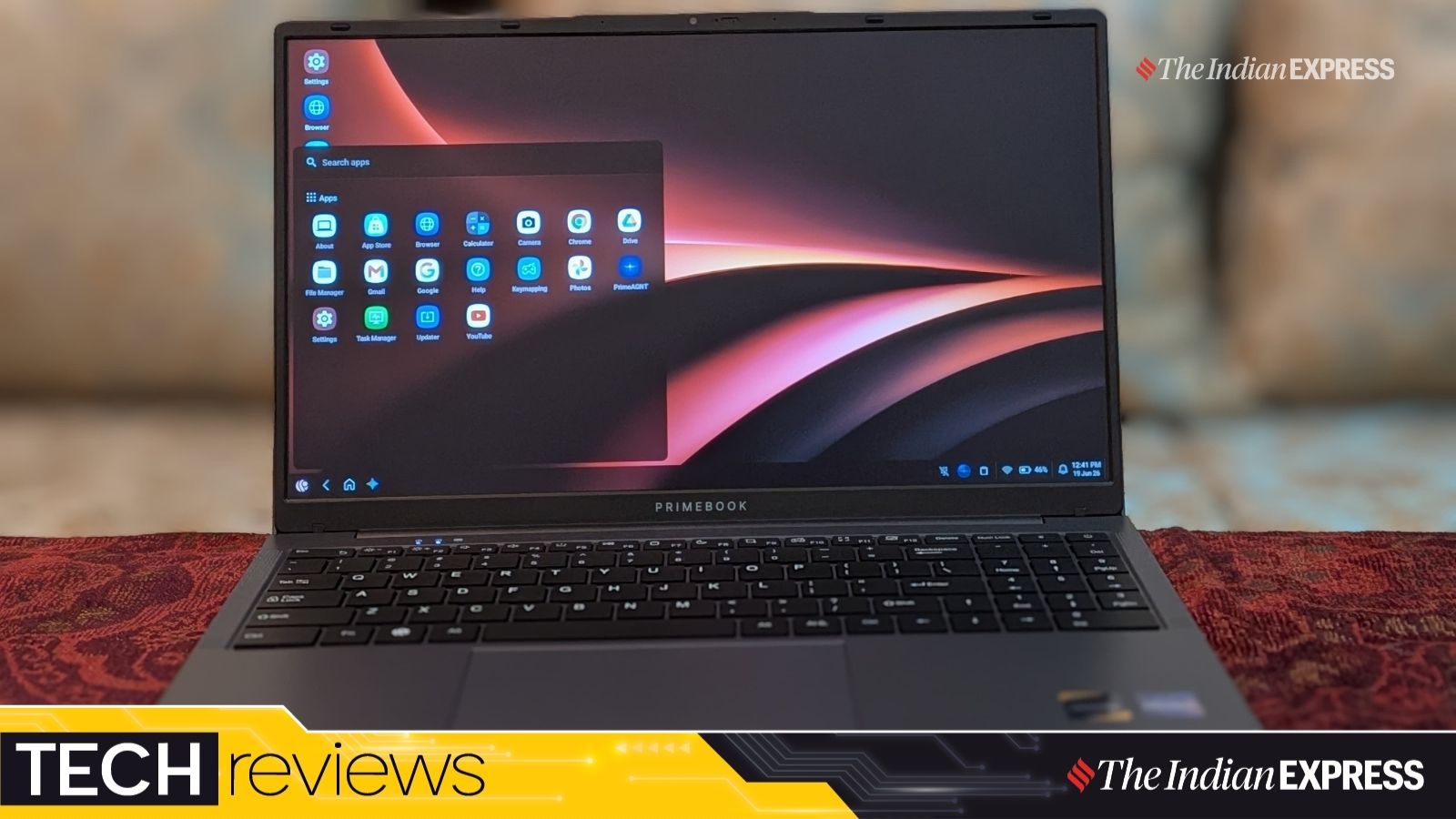
The aesthetic of the Primebook 2 Max is unapologetically utilitarian. Constructed predominantly from chunky plastic, it sports a fairly standard, old-fashioned notebook design. This choice of material, while not exuding a premium feel, likely contributes significantly to its accessible price point and offers a degree of resilience suitable for its intended users. The 15.6-inch screen naturally gives it a substantial footprint, and at 1.6 kg, it is certainly not an ultraportable marvel designed for frequent, on-the-go professionals. For context, many ultrabooks today weigh under 1.3 kg, with premium models dipping below 1 kg.
However, for a device intended primarily for home, school, or office use—where it might largely remain stationary—its weight and dimensions are less of a hindrance. The larger form factor inherently offers improved ergonomics, particularly through its spacious keyboard and expansive screen, which can be a significant advantage for prolonged usage sessions. While a globe-trotting professional might prefer the sleekness of a MacBook Air, the Primebook 2 Max caters to a different demographic, prioritizing screen real estate and a comfortable typing posture over feather-light portability.
Connectivity: Practicality for Everyday Needs
Connectivity on the Primebook 2 Max is robust enough for its segment, covering most essential needs. It features three USB 2.0 Type-A ports, offering ample connectivity for peripherals like mice, external hard drives, or USB sticks. The inclusion of two USB Type-C ports is a welcome modern touch, providing versatility for newer accessories and faster data transfer. These Type-C ports also double as charging interfaces, with the compact 36W power adapter included in the box utilizing one of them.
Beyond USB, there’s a convenient microSD card slot for memory expansion, a feature often overlooked in more expensive notebooks but highly valued for managing storage. A traditional 3.5mm audio jack ensures compatibility with a wide range of headphones and microphones. Wireless connectivity is handled by Bluetooth 5.1 and Wi-Fi, providing reliable connections for accessories and internet access. While not bleeding-edge in terms of port speeds (e.g., no USB 3.0 or Thunderbolt), the selection is practical and comprehensive for the target user.
Display and Multimedia Experience: Surprising Quality
One of the pleasant surprises of the Primebook 2 Max is its 15.6-inch Full HD IPS display. The IPS panel ensures wide viewing angles and accurate color reproduction, which is often a rarity in budget laptops where TN panels with poor viewing angles are common. The anti-glare coating is a thoughtful inclusion, significantly enhancing usability in brightly lit environments by minimizing reflections, making it very comfortable for everyday tasks. The generous screen real estate is ideal for multitasking, split-screen workflows, and consuming media, with photos, presentations, and videos appearing vibrant and crisp.
However, the absence of a touchscreen option is a notable omission, particularly for an Android-based device. Many Android applications are designed with touch interaction in mind, and while PrimeOS attempts to bridge this gap with desktop-like controls, the intuitive nature of direct touch input is missed.
The stereo speakers, while clear enough for video calls and online meetings, are not designed for a rich musical experience. They deliver adequate volume for spoken content but lack depth and bass. The integrated 1080p webcam, on the other hand, performs admirably, capturing detailed and well-balanced video for online communication. While some noise begins to creep in under dim lighting conditions, it generally outperforms many webcams found in this price bracket, which often max out at 720p. This makes the Primebook 2 Max well-suited for online classes, virtual meetings, and casual video chats.
Keyboard and Trackpad: Areas for Improvement
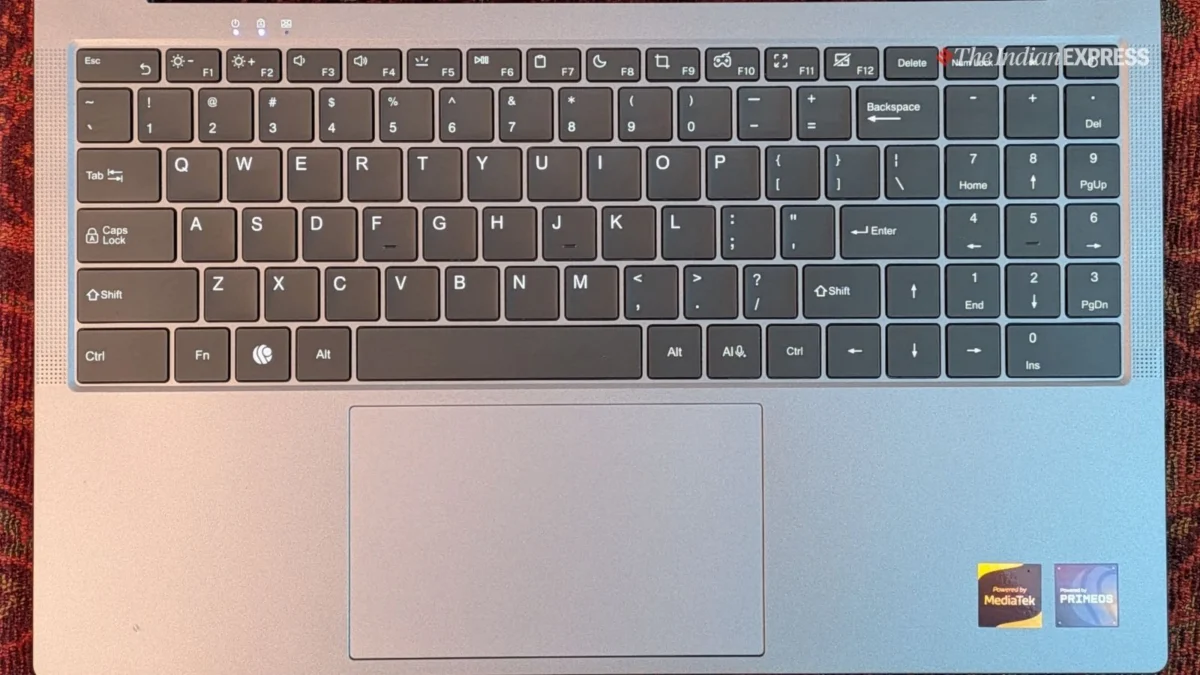
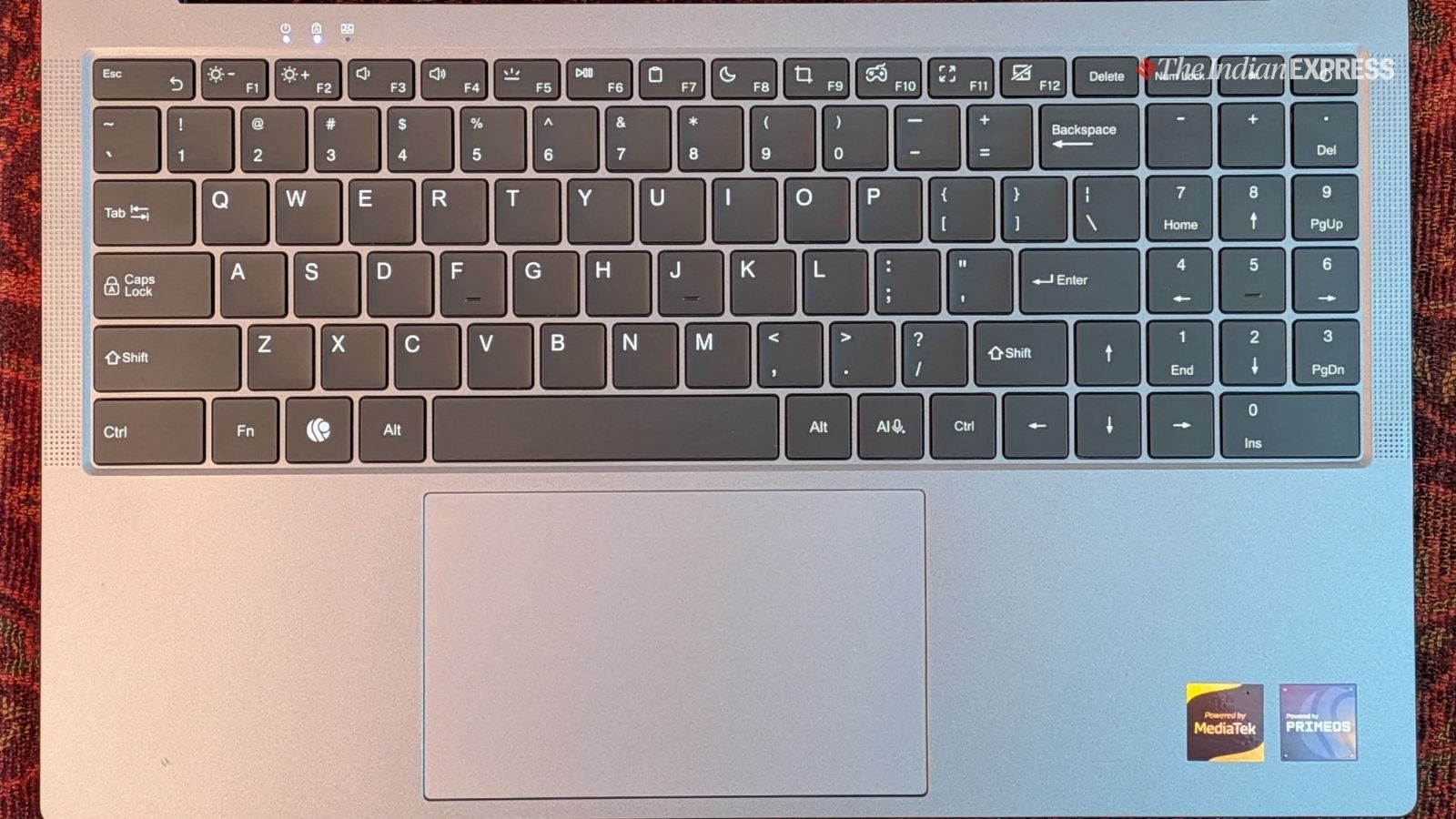
While the physical dimensions of the Primebook 2 Max allow for a spacious keyboard layout with full-sized keys, the typing experience itself leaves room for improvement. The reviewer noted that the keyboard feels shallow, and the keys are somewhat too bouncy, lacking the satisfying tactile feedback and travel found on more refined keyboards, such as those on MacBook models. For students who might spend long hours typing essays or coding, this could become a significant ergonomic concern. While "certainly usable," it might not be ideal for heavy typing workloads.
Similarly, the trackpad, despite its large surface area, was found to be inaccurate in everyday use, often failing to register clicks properly. Precision and responsiveness are crucial for a good trackpad experience, and any inconsistencies can hinder productivity and user satisfaction. These aspects represent significant areas where a traditional Windows laptop, even a budget one, often provides a more polished and dependable user interface.
Performance and Battery Life: A Practical Powerhouse
Under the hood, the Primebook 2 Max is powered by a MediaTek Helio G99 octa-core chipset, paired with 8GB of RAM and 256GB of storage. While not a "cutting-edge processor" by enthusiast standards, this configuration delivers a surprisingly solid and responsive experience for everyday tasks. In fact, for common workloads like web browsing, document editing, media consumption, and running productivity apps, it often feels more agile and fluid than many budget Windows laptops equipped with Intel processors, which can sometimes bog down under demanding conditions. This responsiveness is likely a testament to the lighter nature of PrimeOS and its optimization for ARM-based chipsets.
The battery life is another standout feature. The Primebook 2 Max consistently delivered around 12 hours of usage on a single charge. This impressive longevity means users can comfortably get through a typical workday or multiple study sessions without needing to reach for the charger, with power still left for commuting or evening use. While some Intel-powered laptops might offer slightly more, 12 hours is excellent for this price point and form factor. However, the charging time is a minor drawback; the supplied 36W Type-C power adapter takes approximately 2 hours and 30 minutes to fully replenish the battery, which is longer than some users might prefer.
PrimeOS 3.0: Android Reimagined for the Desktop
The true innovation and defining feature of the Primebook 2 Max lies in its operating system: PrimeOS 3.0, which is based on Android 15. This isn’t just stock Android stretched across a laptop screen; it’s a meticulously crafted desktop environment that draws heavy inspiration from Windows, successfully bridging the gap between mobile familiarity and desktop productivity.
PrimeOS introduces a suite of features that transform the traditional Android experience into something genuinely functional for a laptop:
- Advanced Multitasking: Users can snap two apps side-by-side, pin applications to a taskbar, and even open and layer multiple apps simultaneously, mimicking the window management capabilities of traditional desktop OS.
- Desktop-like Interface: The OS offers the ability to hide the taskbar, adjust touchpad settings, and features a dedicated task manager that provides an overview of system resources and running applications—elements crucial for a productive computing environment.
- Windows-style Shortcuts: A range of familiar keyboard shortcuts, akin to those found in Windows, are integrated, allowing for faster navigation and command execution.
These enhancements significantly elevate the computing experience beyond what one typically gets on an Android tablet, which often feels like a "half-baked" solution for productivity. PrimeOS empowers users to engage with their device in a way that feels natural and efficient for laptop use. However, while the experience is "closer to that of a Windows laptop," there are still "rough edges" where the maturity and polish of a traditional desktop OS shine through. App optimization for keyboard and mouse input, for instance, remains an ongoing challenge for many Android applications.
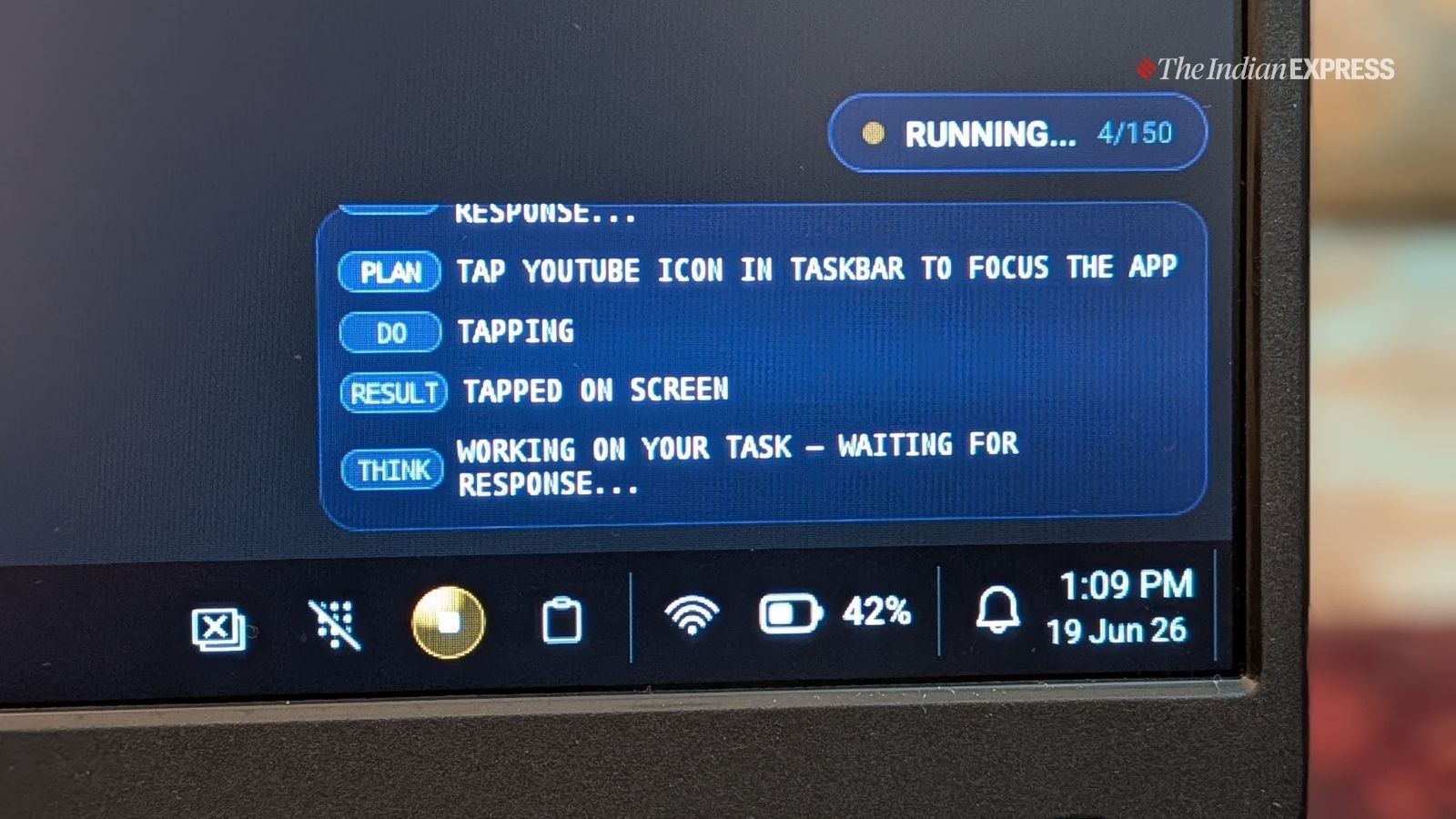
One of the most intriguing additions is PrimeAGNT, an agentic AI assistant. This feature allows the AI to perform actions on the user’s behalf, such as opening applications, managing files, and handling a variety of automated tasks. While the full extent of its capabilities and user experience needs further exploration, the integration of such an AI assistant signals a forward-thinking approach to user interaction and productivity, potentially simplifying complex workflows for novice users.
Furthermore, the notebook supports Cloud PC, a feature that enables users to access a Linux environment through the cloud for more demanding tasks. This is a clever solution for extending the device’s capabilities without burdening its native hardware. While it provides access to a more powerful and versatile computing environment, it’s important to manage expectations; it won’t replicate the seamless, integrated experience of a native Windows or high-end Linux PC, especially given potential latency and dependency on internet connectivity.
App Ecosystem: The Persistent Android Challenge
The original article briefly touches upon a crucial point: "I wish it had better app support." While PrimeOS brings desktop-like functionality to Android, the underlying app ecosystem presents its own set of challenges. The Google Play Store boasts millions of applications, but the vast majority are designed for touch-first smartphone screens.
For a laptop experience, this often means:
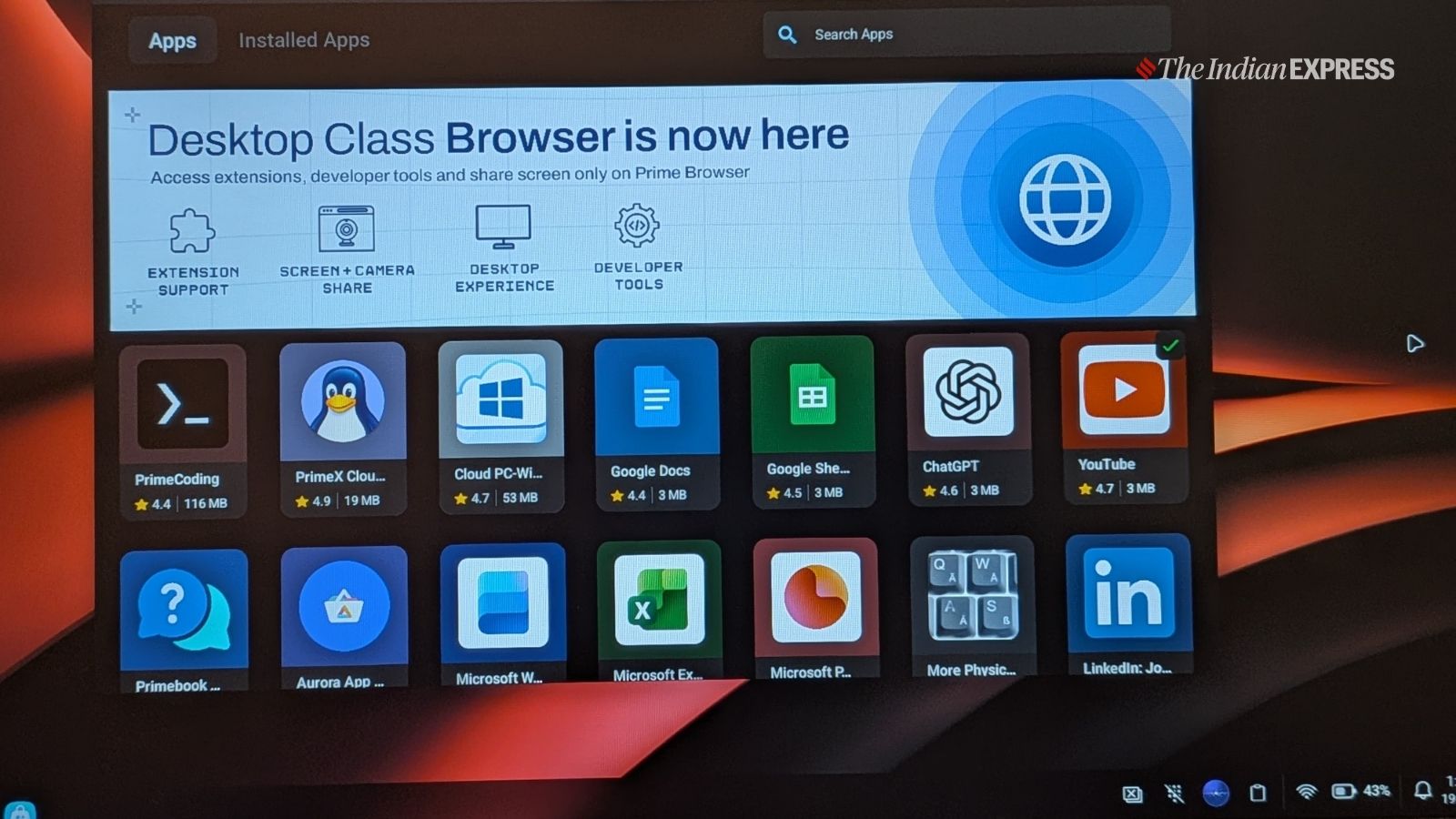
- Suboptimal Scaling: Many apps don’t scale gracefully to a 15.6-inch screen, leading to oversized interfaces or wasted screen real estate.
- Input Method Issues: Apps expecting touch input may not respond intuitively to mouse clicks or keyboard navigation, leading to frustrating user experiences.
- Lack of Desktop Equivalents: While Android has a wealth of apps, powerful desktop-grade software for tasks like professional video editing, advanced graphic design, or complex data analysis is still predominantly found on Windows or macOS.
PrimeOS attempts to mitigate these issues with its windowing system and desktop features, but the fundamental design of many Android apps remains a hurdle. For basic productivity (Google Docs, Microsoft Office for Android), web browsing, and media consumption, the app support is more than adequate. For anything beyond that, users might find themselves limited compared to a Windows machine.
Official Responses and Market Positioning
While the original article does not provide direct quotes from Primebook officials, the very existence and design philosophy of the Primebook 2 Max offer insights into the company’s strategic positioning. Primebook is clearly targeting a demographic that is deeply familiar with Android, likely owning an Android smartphone, and is looking for their first laptop or an affordable upgrade. This demographic values familiarity, ease of use, and a budget-friendly price point.
The company appears to understand that the Primebook 2 Max is not a "Windows PC killer" in the traditional sense. It’s not designed to compete head-on with high-end Windows machines or even mid-range laptops for power users. Instead, it positions itself as a "practical alternative" for specific needs. The focus on an intuitive, Windows-inspired Android experience, coupled with features like PrimeAGNT and Cloud PC, suggests a vision of making computing more accessible and less intimidating for a vast segment of the Indian population.
In the competitive Indian market, where budget is often the primary deciding factor, the Primebook 2 Max enters a space occupied by entry-level Windows laptops and Chromebooks. Its competitive edge lies in leveraging the pervasive Android ecosystem and offering a more desktop-like experience than a standard Android tablet, potentially carving out a unique niche between these established categories. The local development by an Indian company also adds a layer of appeal for domestic consumers.
Implications: A Glimpse into the Future of Affordable Computing
The Primebook 2 Max represents a significant step in the ongoing evolution of non-traditional laptop operating systems. It underscores the continuous quest for affordable, functional computing solutions that cater to specific user needs, particularly in emerging economies.
Its strengths—affordability, decent performance for general productivity, a familiar Android interface enhanced with desktop features, impressive battery life, and a surprisingly good anti-glare display—make it a compelling option for its target audience. For students engaged in online learning, individuals needing a device for basic office tasks, or families looking for an affordable shared computer, the Primebook 2 Max offers considerable value. The inclusion of an agentic AI assistant (PrimeAGNT) and Cloud PC support also hints at future-forward thinking, aiming to provide more capabilities and ease of use.
However, its imperfections cannot be entirely overlooked. The "mostly plastic build" might not appeal to those seeking a premium feel, and the keyboard and trackpad, as crucial input devices, require refinement for a truly comfortable and productive experience. The challenges inherent in the Android app ecosystem—specifically, the optimization of apps for a laptop form factor—remain a fundamental hurdle, despite PrimeOS’s best efforts. The desire for "better app support" is a common refrain for any non-Windows platform.
Ultimately, the Primebook 2 Max is a specialized tool, not a universal solution. It demonstrates that with clever software engineering, Android can indeed offer a viable, desktop-like computing experience. It’s a basic notebook that successfully combines the strengths of Android’s accessibility with thoughtful desktop touches. While it won’t sway hardcore Windows or macOS users, it offers a pragmatic, cost-effective pathway into personal computing for those already comfortable with Android and seeking a familiar yet more capable device than a tablet. Its success could signal a growing demand for such focused, value-driven computing solutions, potentially opening new avenues for innovation in the budget laptop market and furthering digital inclusion across diverse user segments.
